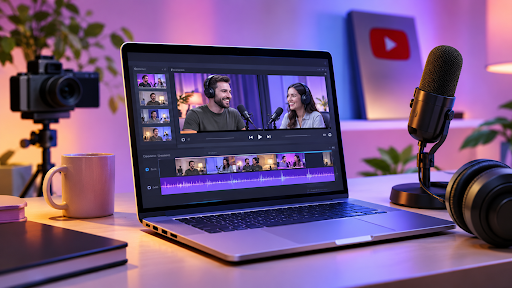
5 Best AI Podcast Video Editors for YouTube in 2026
Recording a podcast is only the beginning. Once the cameras stop rolling, creators still have to sync footage, clean up audio, remove awkward pauses, choose camera angles, add captions, and turn a long conversation into something people want to watch.
That workload becomes even larger when a single podcast episode needs to produce a full YouTube video, Shorts, social clips, and promotional content.
AI podcast video editors can reduce some of this repetitive work. But they approach podcast editing differently. Some are built around transcripts, some focus on multicamera editing, and others can work directly with raw recordings and assemble an initial episode.
Here are five AI podcast video editors worth considering for YouTube in 2026.
Quick Comparison
| Tool | Best For | Editing Approach | Multicam | Audio & Captions |
| Invideo Editor | AI-assisted podcast editing | AI agents + editable timeline | Yes | Yes |
| Descript | Transcript-led editing | Text-based editing + AI | Yes | Yes |
| Filmora | Desktop multicam editing | Timeline + AI assistance | Yes | Yes |
| Riverside | Podcast recording and editing | Transcript + speaker layouts | Yes | Yes |
| DaVinci Resolve | Professional finishing | Manual timeline + AI tools | Yes | Yes |
1. Invideo Editor: AI-Assisted Podcast Editing
Invideo Editor combines AI editing agents with a professional timeline, giving podcast creators a way to hand off repetitive editing work without giving up control of the episode.
The workflow can start with raw camera and microphone recordings. The agents can review the material, select usable takes, remove repeated answers, false starts, pauses, and filler, and assemble a complete base cut. The result remains editable, so the creator can continue shaping the episode afterward.
For multicamera podcasts, the workflow can also sync angles and build a layered cut. The editor can then change camera choices, hold on a speaker, show a reaction, or return to a wider shot manually.
The editing process does not stop at the first cut. Invideo Editor also supports audio post-production, color and grading, captions, chapter markers, footage search, dubbing, and creating shorter versions for social platforms.
Key Features
- Agentic assembly: Builds an editable first cut from raw podcast footage.
- Multicam editing: Syncs angles and helps assemble camera changes.
- Audio and finishing: Supports dialogue cleanup, mixing, color, captions, and other finishing work.
Why it stands out
Invideo Editor brings AI editing agents and timeline control into the same workflow, so creators can hand off repetitive editing work while keeping the final project editable.
That approach is particularly useful for podcasts, where an AI podcast editor can help streamline everything from multicam footage and filler removal to audio cleanup and social-ready clips.
2. Descript: Transcript-Based Podcast Editing
Descript takes a different approach by putting the transcript at the center of the editing process.
Instead of searching through a timeline to find a sentence or section that needs to be removed, creators can edit the conversation through its transcript. Changes to the text correspond with changes to the video and audio.
This can be particularly useful for interview podcasts where the main editing work involves removing repeated answers, tightening conversations, or rearranging spoken sections.
Descript also provides automatic multicam features that can select speakers and layouts. Creators can refine those choices afterward, although some automated workflows may require additional adjustments when scenes are rerun.
Key Features
- Transcript editing: Cut spoken content by editing the transcript.
- Automatic multicam: Creates speaker-focused layouts and camera choices.
- Audio finishing: Includes tools for improving speech and adding captions.
Why it stands out
Descript makes the transcript a central part of the editing workflow, which can make conversation-heavy podcast editing easier to navigate.
3. Filmora: Desktop Multicam Podcast Editing
Filmora combines a conventional desktop editing timeline with AI-assisted tools and multicamera editing.
Its multicam workflow can synchronize camera recordings using audio, clip starting points, or markers. Editors can then choose camera angles during playback and refine those choices on the timeline.
For podcast editing, Filmora also provides transcript-based editing and silence detection. Creators can work on color, EQ, denoising, titles, and captions after assembling the main conversation.
This makes it a useful middle ground for creators who want AI assistance but still prefer a traditional desktop editing workflow.
Key Features
- Multicam editing: Syncs multiple camera recordings and allows live angle selection.
- AI Mate: Provides conversational assistance for selected editing tasks.
- Audio and captions: Includes EQ, denoise, titles, and dynamic captions.
Why it stands out
Filmora combines familiar desktop timeline editing with AI-assisted features, giving podcast creators a way to automate selected tasks without moving away from a traditional editing workflow.
4. Riverside: Recording and Editing Podcasts
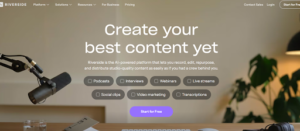
Riverside combines podcast recording and editing in one platform. It can also be used to edit recordings made elsewhere, making it relevant for creators who already have existing podcast footage.
Its transcript-based editing allows creators to cut sections of a conversation, remove pauses and filler, and work with speaker-focused layouts. Smart Layouts can also help organize the visual presentation of different speakers.
Riverside also provides captions, audio enhancement, branding, and per-section volume controls. One consideration for teams working across multiple editors is that some editable timeline export capabilities are tied to higher-tier plans.
Key Features
- Transcript editing: Cut conversations through the transcript.
- Speaker layouts: Create reusable layouts for podcast participants.
- Audio enhancement: Improve dialogue and manage individual track levels.
Why it stands out
Riverside brings recording and editing together, which can simplify the workflow for podcasters who want to manage production and post-production in one place.
5. DaVinci Resolve: Professional Podcast Finishing
DaVinci Resolve is a strong option for creators who want detailed control over the entire post-production process.
Its free desktop version can sync separate audio and video using timecode or waveforms, create multicam clips, and handle manual editing. Editors can also use its color and Fairlight audio tools for more detailed finishing.
AI features vary between the free and Studio editions. More advanced automation, including transcription, IntelliCut, and automatic multicam SmartSwitch, is available in Studio. The free version still provides a complete manual editing environment for podcast production.
Key Features
- Multicam editing: Sync recordings and create multicamera clips.
- Color and audio: Detailed grading and Fairlight audio workflows.
- AI automation: Studio adds features such as transcription and SmartSwitch.
Why it stands out
DaVinci Resolve combines editing, color, and audio post-production in one environment, making it suitable for creators who want detailed control over the finished podcast.
What Should You Look for in a Podcast Video Editor?
The right editor depends on where the most time is being spent in your production process.
If your main problem is sorting through hours of recordings, an AI-assisted assembly workflow can save more time than a tool focused mainly on captions.
If you work with multiple cameras, syncing and camera selection become important. A good multicam workflow should let you correct automated camera choices rather than locking you into them.
For interview-heavy podcasts, transcript editing can make it easier to find and remove sections of conversation.
Audio also deserves attention. Separate microphone tracks give editors more control over individual voices, while mixed recordings limit how precisely each speaker can be balanced.
Finally, consider what happens after the main episode is finished. You may need Shorts, highlights, trailers, captions, or other promotional versions. A tool that keeps the project editable can make those follow-up tasks easier.
Frequently Asked Questions
1. What is the best AI podcast video editor for YouTube?
The right choice depends on the podcast workflow. Invideo Editor is particularly suited to creators working with raw or multicamera footage who want AI assistance with assembly and repetitive editing while keeping the timeline editable.
2. Can AI edit a full podcast episode?
Yes. AI-assisted editing workflows can help with tasks such as reviewing footage, removing filler and repeated sections, selecting usable takes, and assembling an initial cut. The editor can then review and refine the result.
3. Which podcast editor is best for multicamera videos?
Several tools support multicamera editing. Invideo Editor can sync multicam footage and build a layered cut, while tools such as Filmora and DaVinci Resolve provide more traditional multicam editing workflows.
4. Can AI remove pauses and filler from podcasts?
Yes. AI-assisted workflows can identify and remove unnecessary pauses, filler, false starts, and repeated sections. Invideo Editor specifically supports silence and filler removal as part of its editing workflow.
5. Can one podcast episode be turned into multiple YouTube clips?
Yes. Many podcast editing workflows support creating shorter highlights and clips from a longer episode. Invideo Editor also supports cut-downs and versioning for trailers, highlights, social cuts, and platform-specific versions.
6. Should podcasters use AI or edit everything manually?
A combination of both can be useful. AI can handle repetitive production work, while creators retain control over storytelling, pacing, performance choices, camera decisions, and the final edit. This approach can reduce editing time without removing creative judgment from the process.

Ehtisham Ahmad, the mind behind techspicies.com, is passionate about technology, innovations and SEO-driven content that empowers readers to stay ahead in the digital world.
Founder & CEO
Ehtisham Ahmad, the mind behind techspicies.com, is passionate about technology, innovations and SEO-driven content that empowers readers to stay ahead in the digital world.
One thought on “5 Best AI Podcast Video Editors for YouTube in 2026”