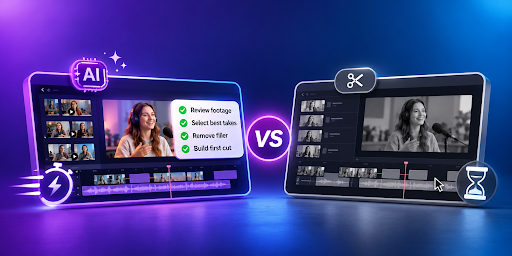
AI Rough Cut Editing vs Manual Editing: Which Workflow Is Faster?
A rough cut is where a video starts to take shape.
Before color grading, detailed sound mixing, transitions, and final polish, editors need to decide which footage belongs in the story and how those pieces should be arranged.
That can be straightforward when a project contains a few clips. It becomes much more time-consuming when an editor has hours of interviews, multiple takes, several camera angles, pauses, false starts, and supporting footage to review.
This is where AI rough cut editing offers a different workflow. Instead of manually handling every part of the first assembly, editors can use AI to review footage and create a starting timeline, then take over for creative refinement.
What Is a Rough Cut?
A rough cut is the first complete version of a video assembled from the strongest usable footage. It runs from beginning to end, but it is intentionally not polished.
At this stage, the main goal is to establish the story and structure.
A typical editing process can be divided into four stages:
| Stage | Main Decision | Polish Level |
| Assembly | Which clips belong in the project | None |
| Rough cut | Story order, structure, and approximate length | Low |
| Fine cut | Exact trims, pacing, and transitions | Medium |
| Final cut | Color, sound, titles, and export | High |
The biggest mistake is often polishing before the structure is settled. Time spent grading a shot or perfecting a transition can be wasted if that section is later removed from the story.
A rough cut gives editors a chance to evaluate the complete story before spending time on finishing work.
AI Rough Cut Editing: How Does It Work?
AI rough cut editing changes the first stage by allowing an editing agent to review raw footage and carry out some of the repetitive assembly work.
With AI rough cut editing, creators can provide footage and direction in plain language. The agent can review the material, identify usable takes, remove unusable footage, and assemble an editable first cut on the timeline.
Invideo Editor follows this approach by keeping the assembled result visible and editable. Instead of receiving a finished video that cannot be changed, editors can inspect the timeline, redirect the edit, or make changes manually.
The process can be as simple as:
- Upload footage and other assets.
- Describe the story, structure, pacing, or target duration.
- Review the assembled timeline.
- Continue editing manually or request further changes.
The resulting base cut is not intended to be the final deliverable. It is a complete starting point that removes repetition, mistakes, pauses, and filler so the editor can focus on shaping the story.
Manual Rough Cut Editing: How Does It Work?
Manual editing starts with the editor reviewing the available material and deciding what belongs in the first cut.
For a single-camera interview, that may mean watching several takes of the same answer and choosing the strongest complete version. For a multicamera project, the editor also needs to synchronize angles and decide which view should appear at each point.
The process usually involves:
- Reviewing footage
- Identifying usable takes
- Removing false starts and unusable material
- Arranging clips in story order
- Building the sequence from beginning to end
- Reviewing the structure
- Making another pass
Manual editing gives the editor complete control over every decision. It can also be valuable when the project has unusual creative requirements or when the editor wants to evaluate every piece of footage personally.
The tradeoff is time. When a project contains many repeated takes or hours of recordings, the first pass can become a large operational task before the creative editing even begins.
AI vs Manual: Where Does the Time Go?
The biggest difference is not necessarily the final editing quality. It is where the editor spends time during the first pass.
With manual editing, the editor performs most of the operational work:
Review → select → arrange → remove repetition → review again
With AI-assisted rough cutting, some of that execution can be delegated:
Direct → assemble → review → refine
That does not mean the AI makes every creative decision. The editor still needs to evaluate whether the structure works, whether a selected take feels right, and whether the pacing supports the story.
The benefit comes from reducing the amount of repetitive work that happens before those creative decisions can be made.
Selecting the Best Takes
Take selection is one area where the difference can become particularly noticeable.
A project may contain several attempts at the same line, answer, or scene. Manually, the editor needs to watch and compare those versions.
AI-assisted workflows can review repeated material and help select a clean, complete take.
For scripted footage, the agent can work against the script and select a clean take for each line. With unscripted footage, it can identify what was said, keep each point once, and remove repeated material. For multicam footage, it can sync the angles and build a layered cut.
The editor still reviews those decisions. A technically complete take may not always be the strongest creative choice.
Working With Multicam Footage
Multicam editing adds another layer of work to the first cut.
The footage needs to be synchronized before the editor can make camera choices. Once the angles are aligned, the editor can decide when to stay with the speaker, move to another angle, show a reaction, or use a wider shot.
Manual editing gives complete control but requires the editor to handle the synchronization and camera decisions.
AI-assisted workflows can reduce some of that initial organization. Invideo Editor can work with multicam material by syncing angles, selecting clean takes, and building a layered cut that remains editable.
This can be particularly useful for podcasts, interviews, events, and other projects where multiple cameras capture the same conversation or performance.
Which Workflow Is Faster?
There is no single answer for every project.
For a short video with only a few clean clips, manual editing may be just as fast. There may not be enough repetitive work for AI assistance to make a meaningful difference.
The advantage becomes clearer when the project contains:
- Hours of raw footage
- Multiple takes
- False starts
- Long interviews
- Multiple camera angles
- Large amounts of supporting footage
- Several versions of the same content
In these situations, the first assembly can take significant time. An AI-assisted workflow can reduce the amount of footage the editor has to process manually before reaching a usable starting point.
The editor then spends more time evaluating the story and less time performing repetitive selection and assembly.
What About Creative Control?
This is where the difference between AI assistance and full automation matters.
Manual editing gives the editor control over every decision from the beginning.
AI-assisted editing introduces another participant in the execution process, but the editor can still remain responsible for the creative direction.
Invideo Editor is built around this idea. The agent receives the editor’s direction, performs assigned work on the timeline, and returns a result that can be reviewed, redirected, and refined.
The editor can change clips, timing, audio, effects, structure, and other elements after the initial assembly.
That makes AI rough cutting less about replacing the editor and more about changing which parts of the editing process require manual attention.
When AI Rough Cutting Has the Biggest Advantage
AI rough cutting becomes more valuable when the footage is messy.
A few takes of the same line, false starts, long pauses, repeated answers, and several camera angles create exactly the kind of material that takes time to sort manually.
A useful first test is therefore not a clean single-take recording. It is a project with enough repetition and unusable material for the automated assembly to actually have something to do.
This is where the difference between the two workflows becomes easiest to see.
Manual editing asks the editor to perform the entire first pass.
AI-assisted rough cutting lets the editor describe what the first pass should accomplish, review the result, and then spend more time on the decisions that shape the finished story.
Frequently Asked Questions
What is the difference between a rough cut and a final edit?
A rough cut is a complete first version that establishes the story, structure, and approximate length. A final edit includes detailed trimming, pacing, color, sound, titles, and other finishing work.
Is AI rough cut editing faster than manual editing?
It can be, particularly when a project contains hours of footage, repeated takes, false starts, pauses, filler, or multiple camera angles. Simple projects with well-organized footage may not benefit as much.
Can AI choose the best takes from raw footage?
Yes. An AI editing agent can review repeated takes, remove unusable material, and select a stronger complete version based on the direction provided. Editors should still review those choices before moving into the fine cut.
Does AI rough cutting remove creative control?
No. In an AI-assisted workflow, the editor can provide direction and then review the assembled timeline. The result can be adjusted manually, allowing creative decisions about structure, pacing, clips, and other elements to remain with the editor.
Can AI rough cutting work with multicamera footage?
Yes. Multicam workflows can involve syncing angles, selecting usable takes, and building a layered sequence. The resulting timeline can then be reviewed and refined by the editor.
What type of footage is best for testing an AI rough-cut workflow?
Messy footage is usually more useful than a clean single-take recording. Multiple takes, false starts, pauses, repeated answers, and several camera angles give the AI more repetitive material to organize and assemble.
Final Thoughts
Manual editing remains valuable because it gives editors complete control over the footage and the creative process. But when a project contains hours of material, repeated takes, pauses, filler, and multiple camera angles, much of the first pass is execution rather than creative judgment.
AI rough cut editing changes that balance.
The editor still decides what the story should be, how it should feel, and what belongs in the final version. AI can simply take on more of the repetitive work required to get from raw footage to a usable starting timeline.
The fastest workflow is therefore not always AI or manual editing alone. For many footage-heavy projects, the practical approach is to automate the first assembly, then edit with human judgment.

Ehtisham Ahmad, the mind behind techspicies.com, is passionate about technology, innovations and SEO-driven content that empowers readers to stay ahead in the digital world.
Founder & CEO
Ehtisham Ahmad, the mind behind techspicies.com, is passionate about technology, innovations and SEO-driven content that empowers readers to stay ahead in the digital world.