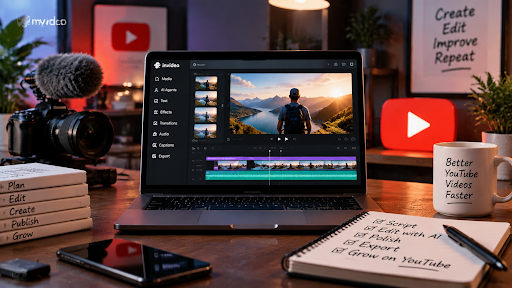
How to Edit YouTube Videos With AI: Step-by-Step Guide
Creating a YouTube video involves more than recording content. The editing process plays an important role in turning raw footage into an engaging video that keeps viewers interested.
Creators often spend hours reviewing recordings, removing unwanted sections, improving audio, adding captions, and preparing videos for publishing. For long-form content such as tutorials, interviews, podcasts, and educational videos, manual editing can become a time-consuming process.
AI-powered video editing is changing how creators approach this workflow. Instead of handling every repetitive task manually, creators can use AI tools to organise footage, create initial edits, improve video quality, and prepare content faster.
This guide explains how to edit YouTube videos with AI and how creators can use an AI-assisted workflow to simplify video production.
Why AI Is Changing YouTube Video Editing
Traditional video editing requires creators to manage every stage of production manually.
A typical YouTube editing workflow includes:
- Reviewing raw footage
- Finding the best moments
- Removing mistakes and pauses
- Adding captions
- Improving audio quality
- Creating different versions for multiple platforms
For creators publishing regularly, these tasks can slow down the production process.
AI video editing tools help reduce this workload by handling repetitive operations. Instead of manually searching through hours of footage, creators can use AI assistance to analyse content, create a starting point, and refine the final edit.
The purpose of AI editing is not to replace creative decisions. Storytelling, pacing, visual style, and audience understanding still require human input. AI helps creators spend less time on repetitive work and more time improving the final video.
What You Need Before Editing a YouTube Video
Before starting the editing process, creators should prepare a few important elements.
Raw Footage
The first requirement is recorded video content.
This can include:
- YouTube recordings
- Tutorials
- Interviews
- Podcast footage
- Supporting clips
Organised footage makes the editing process smoother.
A Clear Video Goal
Before editing, creators should understand what they want the video to achieve.
Examples:
- Educate viewers
- Explain a topic
- Share an interview
- Promote a product
- Create entertainment content
A clear goal helps guide editing decisions.
How AI Helps With YouTube Video Editing
AI can support different parts of the editing process.
Faster Footage Review
Long recordings often include repeated takes, mistakes, pauses, and sections that do not need to appear in the final video.
AI editing workflows can help analyse footage and identify useful sections faster.
Invideo Editor uses AI editing agents that can review footage, select usable material, remove unnecessary sections, and help create an editable base cut.
Simplifying Online Video Editing
Creators no longer need to rely only on complex desktop software to complete professional edits. Modern browser-based editors allow users to upload footage, trim clips, add captions, improve audio, and manage projects from one place, and make it easier to create and refine videos without installing software.
These editors support tasks such as cutting clips, adding subtitles, improving sound quality, adjusting visuals, and preparing content for different platforms.
Transcript-Based Editing
AI-powered editing can make it easier to work with spoken content.
Instead of searching manually through a long recording, creators can use transcripts to locate important sections and make edits faster.
Online video editing workflows can convert spoken words into text, allowing creators to remove sections by editing the transcript.
Improving Video Quality
AI tools can also help improve the final output through features such as:
- Automatic captions
- Audio improvements
- Visual adjustments
- Background changes
- Content resizing
These features help creators produce polished videos with less manual effort.
How to Edit YouTube Videos With Invideo Editor
Invideo Editor combines AI editing agents with a professional timeline workflow. Creators can provide instructions, allow AI agents to handle repetitive editing tasks, and continue refining the project manually.
Follow these steps to edit a YouTube video with invideo editor:
Step 1: Open Invideo Editor and Start a New Project
Go to invideo.io and sign up for an account.
Once you are signed in, open the Timeline Editor and create a new project.
Step 2: Upload Your YouTube Footage
Open the Media section and upload your video files.
You can add:
- YouTube recordings
- Tutorials
- Interviews
- Podcast footage
- Supporting clips
Invideo Editor helps transform raw footage into an organised editing project where you can continue refining your video.
Step 3: Add Your Script or Transcript
If you have a script or transcript, add it to guide the editing process.
A transcript can help identify important sections, remove unwanted parts, and structure the video faster.
Step 4: Tell the AI Agent What You Want to Edit
Describe the type of edit you need.
Examples:
- Create a clean YouTube video
- Remove pauses and repeated sections
- Create a highlight version
- Prepare a shorter social media clip
Invideo Editor’s AI agents can review footage, select usable sections, and help create a base cut on the timeline based on your instructions.
Step 5: Review and Refine the Timeline
Review the AI-generated edit and make changes where needed.
You can adjust:
- Clip order
- Video pacing
- Captions
- Audio
- Visual style
The timeline remains editable, allowing creators to continue improving the final video manually.
Step 6: Export and Repurpose Your Video
Once the video is complete, export the final version and create additional content formats.
Examples include:
- YouTube Shorts
- Social media clips
- Highlight videos
- Promotional content
AI-powered editing workflows make it easier to reuse existing content across multiple platforms.
Benefits of Using AI for YouTube Editing
Saves Time
AI reduces the time spent on repetitive tasks such as reviewing footage and preparing initial edits.
Helps Beginners Edit Faster
New creators can use AI assistance without needing advanced editing experience.
Supports Consistent Publishing
Creators who upload videos regularly can maintain a more efficient production workflow.
Makes Content Repurposing Easier
AI-assisted editing helps transform one long video into multiple formats for different platforms.
Frequently Asked Questions
Can AI edit YouTube videos automatically?
AI can assist with tasks such as footage analysis, creating initial edits, adding captions, and improving workflow efficiency. Human input is still required for creative decisions.
Can I edit YouTube videos online without installing software?
Yes. Browser-based video editors allow creators to upload footage, edit videos, add captions, improve audio, and export content online.
Is Invideo Editor useful for YouTube creators?
Invideo Editor can help YouTube creators manage raw footage, create editable cuts, and reduce repetitive editing tasks using AI-assisted workflows.
Conclusion
AI is changing the way creators approach YouTube video editing. Instead of spending most of their time on repetitive editing tasks, creators can use AI assistance to organise footage, create initial cuts, and improve production workflows.
Invideo Editor combines AI editing agents with timeline-based editing, allowing creators to automate parts of the process while maintaining control over the final video.
As video content continues to grow, AI-powered editing workflows will help creators produce high-quality YouTube videos faster and more efficiently.

Ehtisham Ahmad, the mind behind techspicies.com, is passionate about technology, innovations and SEO-driven content that empowers readers to stay ahead in the digital world.
Founder & CEO
Ehtisham Ahmad, the mind behind techspicies.com, is passionate about technology, innovations and SEO-driven content that empowers readers to stay ahead in the digital world.