Best AI Music Video Maker: 6 Tools Compared
An AI music video maker helps musicians and content creators turn songs, written ideas, and images into videos using artificial intelligence. These tools can generate original visuals, arrange scenes, add effects, and create videos that match the mood or rhythm of a song.
Creating a music video traditionally requires filming, editing, lighting, and production planning. AI filmmaking tools now make it possible to explore creative ideas without arranging a full video shoot.
However, not every AI music video maker works the same way. Some tools generate visuals from text prompts, while others focus on beat synchronization, animated effects, or editing existing footage.
In this guide, we compare six AI music video makers, including Invideo Agent, Kaiber, Neural Frames, Rotor Videos, Freebeat, and CapCut. Each tool offers a different approach to music video creation.
How We Selected the Best AI Music Video Makers
Choosing the right AI music video maker depends on the type of video you want to create and how much control you need over the final result.
We compared these six tools based on five factors:
- AI video generation: Whether the tool creates visuals from text prompts, images, or audio.
- Music synchronization: How well the tool matches scenes, transitions, and movement to music.
- Creative control: Whether creators can change scenes, adjust timing, and refine the video.
- Ease of use: How simple the workflow is for users without professional editing experience.
- Pricing: Subscription costs, credit limits, and available plans.
Quick Comparison of the 6 Best AI Music Video Makers
| Tool | Best for | Main capability | Starting price |
| Invideo Agent | Creating music videos from text prompts | AI-generated scenes, music, and visual storytelling | $20/month |
| Kaiber | Artistic and animated music videos | Stylized generation and Beat Sync | $10/month |
| Neural Frames | Audio-reactive music visualizers | Music-driven animation and visual effects | $39/month |
| Rotor Videos | Independent music releases | Automated editing using footage and stock clips | $9.99/credit |
| Freebeat | Beat-synced music videos | Generates visuals around song structure | Free plan; Basic from $6.99/week |
| CapCut | Short music videos and social content | AI-assisted editing, effects, and templates | Free plan; Pro $19.99/month |
1. Invideo Agent

Invideo Agent is an AI video creation tool that helps musicians and content creators turn written ideas into videos. It can generate scenes, visuals, music, voiceovers, and transitions based on a creative description.
Instead of filming every scene, artists can explain the visual style, setting, and mood they want. The tool then generates a video based on those instructions.
For instance, an independent artist could describe a nighttime city scene with neon lights, cinematic camera movements, and a slow, emotional soundtrack. The AI can turn that description into a sequence of visuals that follows the creative direction.
Through its AI music video maker, Invideo Agent allows creators to describe their music video ideas, generate scenes, and request changes to visuals, music, or other elements using text commands.
Why it stands out
Invideo Agent brings AI filmmaking and video creation into a single workflow. Musicians can experiment with different visual concepts and refine generated scenes without manually creating every part of the video.
Best for: Independent musicians, beginners, and creators who want to produce concept-based music videos using text prompts.
Where it falls short: Artists who need precise beat synchronization with an existing recording should check whether the available timing controls meet their needs.
Pricing:
- Starter: $20/month or $10/month with annual billing.
Plus: $60/month or $30/month with annual billing.
Max: $150/month or $75/month with annual billing.
2. Kaiber
Kaiber is an AI visual creation platform designed for musicians, artists, and creative professionals who want to produce animated and experimental videos.
The platform supports video generation from images and prompts, allowing creators to explore different artistic styles. Its Beat Sync tools also help arrange visual sequences around music.
Kaiber is particularly suitable for electronic music, experimental tracks, and songs that benefit from abstract or animated visuals.
Artists can generate individual clips, experiment with different styles, and combine their work into longer video sequences using Kaiber’s editing tools.
Why it stands out
Kaiber focuses on creative visuals and artistic expression. Its combination of AI-generated animation and music-aware editing makes it useful for artists who want a distinctive visual style.
Best for: Musicians, visual artists, and producers creating animated or experimental music videos.
Where it falls short: Beat Sync is not included in the Starter plan, so artists who need music synchronization must choose a higher subscription tier.
Pricing:
- Starter: $10/month with 500 credits.
- Creator: $29/month with 1,500 credits and Beat Sync access.
- Pro: $99/month with 5,000 credits and expanded creation limits.
3. Neural Frames
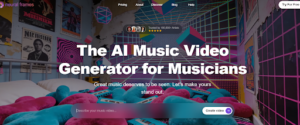
Neural Frames is an AI music video generator that creates animated visuals influenced by audio tracks. It is designed for artists who want movement, colors, and visual effects to respond to their music.
The platform includes audio-reactive effects, text-to-video generation, and tools for creating music videos from existing songs.
Its Autopilot feature helps generate complete music videos, while its editing tools allow creators to adjust scenes, prompts, and visual styles.
Neural Frames is particularly useful for electronic music, instrumental tracks, and projects built around abstract animation.
Why it stands out
Neural Frames connects visual movement with musical elements, making it a useful tool for creating audio-reactive videos. It also offers more detailed scene controls for artists who want to refine their results.
Best for: DJs, electronic music producers, and artists creating animated visualizers.
Where it falls short: Longer videos and higher-quality generation models can require more credits, increasing the cost of repeated experiments.
Pricing:
- Neural Knight: $39/month with 2,400 credits.
- Neural Ninja: $99/month with 7,200 credits.
- Neural Nirvana: $299/month with 24,000 credits.
4. Rotor Videos

Rotor Videos is an automated music video creation platform that helps musicians turn songs, footage, and stock clips into finished video content.
Artists can upload a track, choose visual material, and allow the platform to arrange clips around the music. Rotor also provides a large stock footage library, which can help creators who have limited original recordings.
The platform supports standard music videos, lyric videos, album artwork videos, and short promotional content for streaming and social media platforms.
For independent artists preparing a new release, Rotor offers a practical way to create supporting video content without handling every editing step manually.
Why it stands out
Rotor Videos focuses on music release workflows rather than general AI filmmaking. Its automated editing and stock footage options make it useful for artists who want promotional videos without arranging a new shoot.
Best for: Independent artists, record labels, and musicians preparing videos for song releases.
Where it falls short: Rotor is mainly built around existing footage and stock visuals rather than generating completely new scenes from detailed text prompts.
Pricing:
- Pay as you go: Credits start at $9.99 each. A standard music video costs three credits.
- Artist Unlimited Video: $14.99/month, billed annually.
- Artist Unlimited Pro: $19.99/month, billed annually.
5. Freebeat
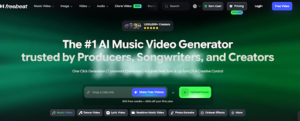
Freebeat is an AI music video generator that analyzes audio and creates visuals based on the structure of a song.
Users can upload their own music or provide supported song links. The platform then studies musical elements such as rhythm, energy, and song sections to guide the video creation process.
Freebeat supports different music video styles, including dance videos, lyric videos, and visual storytelling projects.
Its music-first workflow helps creators produce scenes and transitions that follow the song rather than relying entirely on manual editing.
Why it stands out
Freebeat focuses on connecting generated visuals with the music itself. This makes it suitable for artists who want scene changes and movement to follow the structure of a track.
Best for: Musicians, DJs, and content creators who want automatically generated, beat-synced music videos.
Where it falls short: Free plans have credit and export limits, while longer videos or repeated generations may require additional paid credits.
Pricing:
- Free: Limited generation credits.
- Basic: $6.99/week at the regular rate, with promotional pricing sometimes available.
- Pro: $26.99/month at the listed promotional rate.
6. CapCut

CapCut is a video editing platform that combines traditional editing tools with AI-assisted features. It is useful for musicians who already have footage, images, or generated clips and want to turn them into finished music videos.
The platform allows creators to trim footage, arrange clips, add transitions, apply effects, and combine visuals with audio tracks.
CapCut also offers templates and editing features designed for TikTok, Instagram Reels, and YouTube Shorts.
For instance, an artist promoting a new single could combine studio recordings, performance clips, and behind-the-scenes footage into a short teaser with music, text overlays, and transitions.
Why it stands out
CapCut combines simple editing tools with AI features and social media templates. It gives musicians control over their final videos without requiring advanced editing software.
Best for: Social media creators, independent musicians, and artists making short promotional music videos.
Where it falls short: CapCut is primarily a video editor. Creators looking for a complete music video generated from one song or text prompt may need a more specialized tool.
Pricing:
- Free: Basic editing tools and templates.
- Pro: $19.99/month with premium features and 1,200 monthly AI credits.
- Ultra: $79/month with additional AI features and higher credit limits.
How to Choose the Right AI Music Video Maker
The right AI music video maker depends on whether you want to generate new visuals, work with existing footage, or build a video around the rhythm of your song.
1. Decide what kind of music video you want
AI filmmaking tools can support different visual approaches, from realistic scenes to animated effects.
For story-based videos, prompt-based generation may be more suitable. For electronic music or instrumental tracks, audio-reactive animation can offer a different creative direction.
2. Consider your editing experience
Some platforms handle much of the video creation process automatically. Others give you more control over individual clips, transitions, and visual effects.
If you are new to video production, a tool with a simple prompt-based workflow may be easier to learn.
3. Check the music synchronization features
Music synchronization is important when visuals need to follow a song’s rhythm.
Some tools analyze the audio and build scenes around the beat. Others require creators to arrange clips or adjust timing manually.
4. Compare pricing and credit limits
AI music video makers use different pricing structures. Some charge monthly subscriptions, while others charge per video or generation credit.
Before selecting a plan, check how many videos you can create, what export quality is included, and whether unused credits expire.
5. Think about where you will publish
A full-length music video for YouTube may require different features from a short promotional clip for Instagram or TikTok.
Check whether the tool supports your preferred video dimensions, export format, and resolution.
Frequently Asked Questions
What is the best AI music video maker for beginners?
Invideo Agent, Rotor Videos, and CapCut are practical options for beginners. Invideo Agent supports creating videos from written descriptions, Rotor Videos helps arrange footage automatically, and CapCut offers straightforward tools for editing existing clips.
Can AI create a music video from a song?
Yes. Tools such as Freebeat, Neural Frames, and Kaiber support music-based video creation. They can analyze audio or generate visuals that connect with the rhythm, style, or mood of a song.
Can I create a music video without filming?
Yes. AI filmmaking platforms can generate video scenes from text prompts or images. Other tools let musicians create videos using stock footage, animations, or visual effects without recording new material.
Which AI music video maker is best for animated videos?
Kaiber and Neural Frames are suitable choices for animated music videos. Kaiber focuses on stylized generation, while Neural Frames supports audio-reactive animation and detailed visual effects.
Are AI-generated music videos suitable for YouTube?
AI-generated music videos can be published on YouTube if creators have the required rights to the music and visual materials. Artists should also review the commercial-use terms of their chosen AI platform and follow YouTube’s content policies.
Conclusion
AI music video makers give musicians and content creators more ways to produce visual content without depending entirely on traditional video production.
Invideo Agent is useful for creating videos from written ideas, while Kaiber and Neural Frames focus on artistic visuals and animation. Rotor Videos helps artists create release content from existing footage, Freebeat specializes in music synchronization, and CapCut supports short-form video editing.
The best choice depends on your music style, creative goals, budget, and the level of control you want over the finished video.
Whether you are releasing your first song or creating regular content for an established audience, choosing a tool that fits your workflow can make music video production easier to manage.

Ehtisham Ahmad, the mind behind techspicies.com, is passionate about technology, innovations and SEO-driven content that empowers readers to stay ahead in the digital world.
Founder & CEO
Ehtisham Ahmad, the mind behind techspicies.com, is passionate about technology, innovations and SEO-driven content that empowers readers to stay ahead in the digital world.
One thought on “Best AI Music Video Maker: 6 Tools Compared”