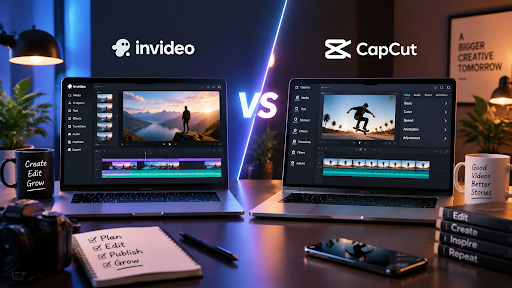
Invideo Editor vs CapCut: Comparing AI Video Editing Features and Workflows
Video content has become an important part of marketing, education, entertainment, and business communication. As more brands and creators publish videos across multiple platforms, the need for faster and more efficient editing workflows continues to grow.
Traditional editing often requires significant manual effort. Editors need to review footage, select the best clips, remove unnesecsary sections, improve audio, and create different versions for different audiences.
AI-powered video editors are changing this process by helping users automate repetitive tasks while keeping creative control.
Two popular approaches in this space are Invideo Editor and CapCut. While both tools help simplify video creation, they are designed for different editing workflows.
Invideo Editor focuses on AI-assisted professional editing workflows with AI editing agents and timeline control, while CapCut is widely used for fast social media content creation.
This article compares Invideo Editor vs CapCut based on their features, editing workflows, AI capabilities, and ideal use cases.
What Is Invideo Editor?
Invideo Editor is a professional video editor that combines AI editing agents with an editable timeline.
The platform is designed for creators and teams who work with raw footage and want to reduce repetitive editing tasks without losing control over the final project.
Instead of manually handling every operational step, users can provide direction to AI agents. These agents can help review footage, select usable takes, remove unnecessary sections, and create an initial editable timeline.
Invideo Editor supports different types of projects, including:
- YouTube videos
- Interviews
- Podcasts
- Multicam content
- Documentary projects
- Commercial videos
Its workflow focuses on combining AI assistance with human creativity. The AI handles repetitive execution while creators continue refining the story, pacing, and final output.
What Is CapCut?
CapCut is a video editing application designed mainly for quick and accessible content creation.
It is widely used by social media creators who want to produce short-form videos efficiently.
CapCut provides features such as:
- Video trimming
- Effects
- Filters
- Captions
- Templates
- Transitions
- Social media-focused editing tools
Its main strength is simplicity. Users can quickly create engaging videos without requiring advanced editing knowledge.
Invideo Editor vs CapCut: Key Differences
| Feature | Invideo Editor | CapCut |
| Primary focus | AI-assisted professional editing workflow | Fast social media video creation |
| AI approach | AI editing agents | AI-powered editing features |
| Editing style | Timeline-based workflow | Quick content editing |
| Best for | Creators, editors, teams | Social media creators |
| Raw footage workflow | Supports footage review and assembly | More focused on quick edits |
| Content types | Long-form and short-form videos | Mainly short-form content |
AI Video Editing Features Comparison
Invideo Editor’s AI Editing Workflow
Invideo Editor uses AI editing agents to support different stages of video production.
The platform is built around the idea that editing includes both creative decisions and repetitive execution.
Creative decisions include:
- Storytelling
- Timing
- Visual direction
- Final judgement
Execution tasks include:
- Reviewing footage
- Comparing takes
- Removing false starts
- Arranging clips
- Creating versions
Invideo Editor helps with the execution side while allowing editors to maintain control over the project.
One of its key capabilities is agentic assembly.
This process helps create a base cut by reviewing footage, selecting usable material, removing repetition, and assembling content on an editable timeline.
CapCut’s AI-Assisted Features
CapCut focuses on making video editing faster for everyday creators.
Its AI-powered features are designed around quick content creation, including:
- Automatic captions
- Effects
- Templates
- Visual adjustments
- Social media-friendly editing tools
This makes CapCut useful for creators who want to produce content quickly, especially for platforms that require frequent short videos.
Editing Workflow Comparison
Working With Raw Footage
Working with raw footage is often one of the most time-consuming parts of video editing.
Editors may need to review hours of recordings before creating the first version of a video.
Invideo Editor focuses on solving this challenge through AI-assisted assembly.
The workflow includes:
- Upload footage to the media pool.
- Add a script or transcript if available.
- Describe the type of base cut required.
- Review the assembled timeline and continue refining.
The AI agents review the material, select usable takes, remove repetition, and place selected audio and video into the timeline.
CapCut is better suited for users who already have selected clips and want to quickly edit them into social media-ready content.
Creating Social Media Content
Both tools can support content creation, but their workflows are different.
CapCut is popular for:
- Short videos
- Reels
- TikTok content
- Quick promotional clips
Its templates and effects help users create engaging videos quickly.
Invideo Editor can also support short-form content through its cut-down and versioning capabilities. The platform can help transform larger projects into different formats, including highlights and social versions.
Timeline Control and Creative Flexibility
Creative control is an important factor when choosing a video editor.
Invideo Editor keeps the timeline central to the workflow. Users can inspect AI-generated changes, adjust edits manually, and continue refining the project.
This makes it suitable for users who want AI support but still need detailed control over the final video.
CapCut provides an easier editing experience for users who prefer speed and simplicity. Its interface is designed to help beginners and social creators quickly produce content.
Which Tool Should You Choose?
The right choice depends on the type of content and workflow requirements.
Choose Invideo Editor if you need:
- AI assistance for larger editing workflows
- Support for raw footage
- Editable timeline control
- Help creating base cuts
- Professional editing flexibility
Choose CapCut if you need:
- Quick social media editing
- Simple video creation
- Templates and effects
- Fast publishing workflows
Both tools serve different audiences. The choice depends on whether your priority is a structured AI-assisted editing workflow or fast content production.
Frequently Asked Questions
Is Invideo Editor similar to CapCut?
Both are video editing tools, but their workflows are different. Invideo Editor focuses on AI-assisted editing with timeline control, while CapCut focuses on accessible and fast content creation.
Can Invideo Editor edit raw footage?
Yes. Invideo Editor is designed to work with raw footage and can assist with footage review, take selection, and creating an editable base cut.
Is CapCut good for beginners?
Yes. CapCut is designed to make video editing easier for beginners and social media creators through templates, effects, and simple editing tools.
Does AI replace video editors?
AI helps automate repetitive editing tasks, but creative decisions such as storytelling, pacing, and final direction still require human input.
Conclusion
Invideo Editor and CapCut represent two different approaches to modern video editing.
CapCut focuses on making video creation fast and accessible, especially for social media content.
Invideo Editor focuses on combining AI editing agents with a professional timeline workflow, helping creators and teams manage larger editing projects while maintaining control over the final result.
As AI continues to influence video production, the future of editing will likely involve a combination of intelligent automation and human creativity. Choosing the right tool depends on the complexity of the project, the type of content being created, and the level of control required.

Ehtisham Ahmad, the mind behind techspicies.com, is passionate about technology, innovations and SEO-driven content that empowers readers to stay ahead in the digital world.
Founder & CEO
Ehtisham Ahmad, the mind behind techspicies.com, is passionate about technology, innovations and SEO-driven content that empowers readers to stay ahead in the digital world.